
Add a myPHP Shortcut to Your Device for Easier, Faster, Secure Login
The myPHP online benefits portal provides 24/7/365 access to your most important pension and health benefits information, including your current and future Health Plan eligibility, estimated pension benefits, a record of your pension and health contributions, and your medical claims information. And now, you can use your device’s biometrics to access that even quicker.
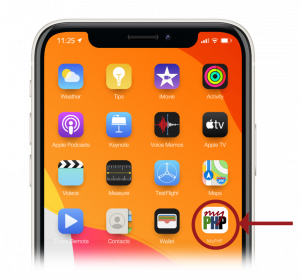
For a faster login, add a myPHP shortcut to the home screen of your phone or tablet. Then, to log in, just tap the myPHP shortcut icon to access the portal similarly to your other mobile apps.
To add the myPHP shortcut, follow the instructions below:
Apple
- While viewing the myPHP website, tap the Share icon in the menu bar.
- Scroll down the list of options, then tap Add to Home Screen. If you do not see Add to Home Screen, you can add it. Scroll down to the bottom of the list, tap Edit Actions, then tap Add to Home Screen.
Android
- Launch Chrome for Android.
- Open the myPHP login page.
- Tap the menu button ···.
- Tap Add to Home Screen. You will be able to enter a name for the shortcut and then Chrome will add it to your home screen.